Blog
WLED Christmas Lights: Build a Show That Reads

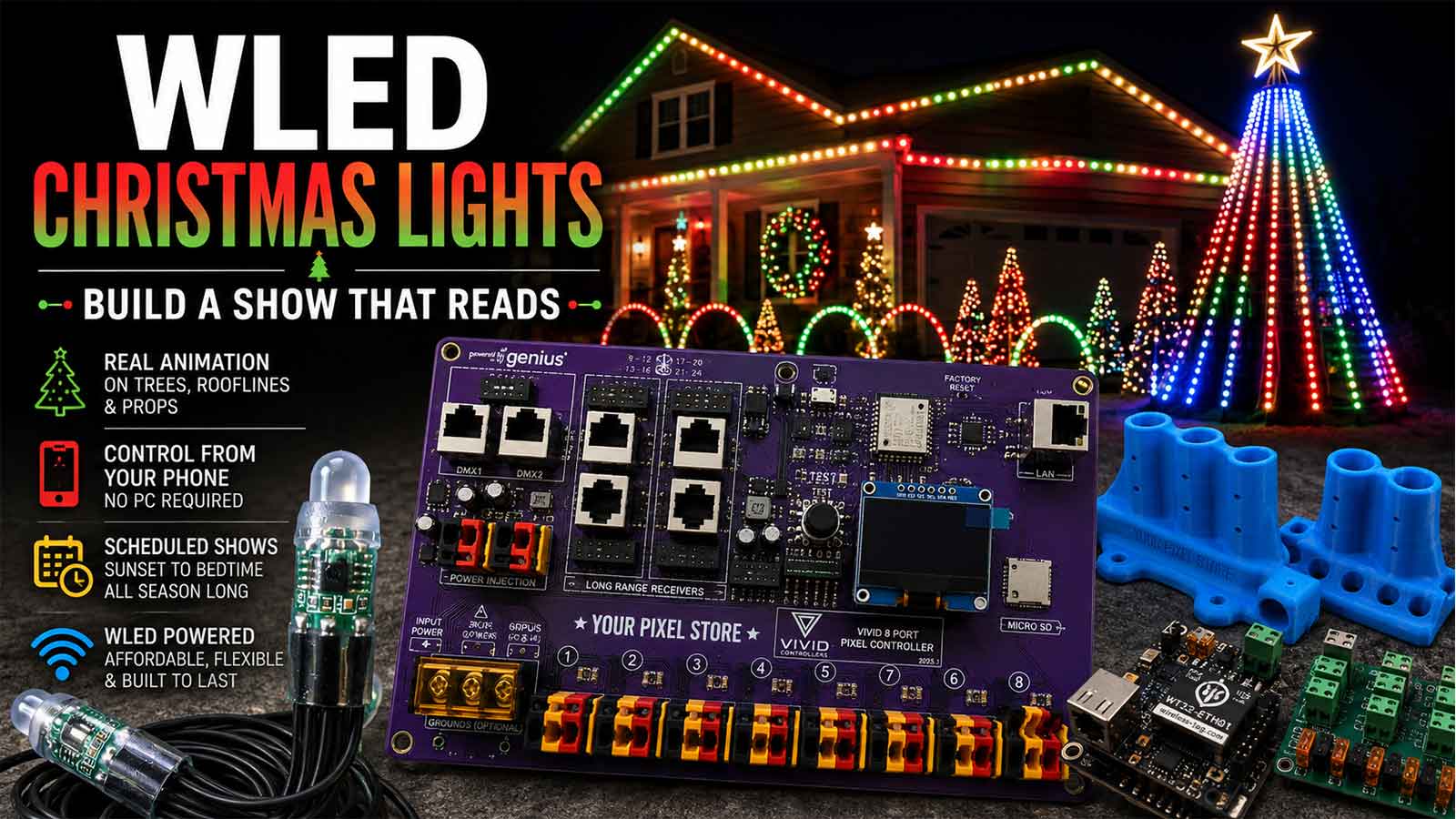
WLED Christmas lights are addressable pixels run by WLED, free firmware on a small Wi-Fi board. It plays built-in effects live on a tree, a roofline, or props, and it can react to sound in the room. It runs on its own with no computer attached. It can’t play a show timed to a specific song.
That last line is the one that surprises people, and we’ll come back to it.
What a WLED Christmas display can and can’t do
WLED is free software you load onto a small Wi-Fi board so you can control addressable Christmas pixels, their colors and their animated effects, from your phone. If you’re still picking the board itself, our guide to WLED controllers covers that decision. This article picks up after it, at the part where you’ve got pixels and you want a display.
Here’s what it does well. You get real animation on a tree, a roofline, and a row of props. You control all of it from your phone, on a schedule, with no PC left running in the garage. It’s the cheapest honest way into pixel animation.
Here’s where it stops. WLED doesn’t author a show to a track. It doesn’t stitch many controllers into one synchronized display. Those are jobs for xLights and FPP, and they’re a different piece of the hobby.
Still deciding whether pixels are the right call at all? Our honest buyer’s guide to pixel Christmas lights covers the cost and effort before you commit.
Before you start: your pixels are already lit
This guide assumes first light. You’ve flashed a board, set the LED type and count, and watched a strand run an effect. If you haven’t gotten there yet, start with how to install WLED and come back once a strand is running.
Everything below is about what happens after that, when a working strand has to become a yard.
Building a WLED Christmas tree
The mega tree is the centerpiece of most displays, and it’s the hardest shape to make read. It’s a cone. Vertical strands run from a topper down to a base ring, and every strand carries the same pixel count. WLED doesn’t know any of that. It sees one long line of pixels in the order they’re wired.
Segments are how you fix the mismatch. A segment is a named range of pixels that gets its own effect, color, palette, speed, and brightness. Carve the tree into segments and you can address it the way you actually see it.
There are two useful ways to cut a tree:
- One segment per strand. Effects run vertically. A meteor falls down each strand. A chase climbs the cone. This is what most people picture when they picture a mega tree.
- Horizontal bands. Group pixels by height across all strands. Effects then sweep around the cone or bloom from the base up. This takes more segments and a careful pixel map, but rotation effects read beautifully.
A common tree size is 16 strands of 50 pixels, which comes to 800 pixels. The QuinLED figures the hobby leans on put roughly 500 to 600 pixels per data output as the working number for holding frame rate. A tree that size is already asking a lot of one output. Treat those numbers as standard practice, not a guarantee.
The mistake we’d flag first: wiring order. If a tree is wired serpentine, up one strand and down the next, every other strand runs backward in WLED’s index. A chase that should climb the whole cone will climb, drop, climb, drop. It looks like a bug in the effect. It’s the wiring. Either run every strand in the same direction from the base, or set the reverse option on alternate segments.
Write your pixel map down while you’re building. Strand number, start pixel, end pixel. You’ll need it in eleven months.
Roofline and outline runs
A roofline is one long run seen from a shallow angle, and that changes which effects work. It’s the second shape most displays add.
On a tree, the viewer sees the whole shape at once. On a roofline, they see a line stretching away from them. Motion along that line reads well: chases, running lights, a color wipe traveling from one end of the house to the other. Effects that change everything at once, like a whole-segment fade, read as the house blinking.
Put your segment breaks at the physical corners. The eye lands on corners, and a color change that lines up with the architecture looks deliberate. A break halfway along a straight eave looks like something came unplugged.
Brightness is the other roofline variable. A full-brightness roofline at 6 inch spacing blows out from the street and washes red toward white on a phone camera. Bring the master brightness down and the colors come back. Most rooflines we’d set well below maximum, and the display looks better for it, not worse.
Props: arches, wreaths, and yard pieces
Props are where this gets fiddly. They’re small, there are a lot of them, and that makes them the opposite problem from the tree.
A wreath might be 50 pixels. An arch might be 50. Four arches chained on one output is 200 pixels. In WLED that whole chain arrives as one continuous range, and you split it into four segments by pixel index.
Two things matter with props. First, keep each prop’s pixel count identical where you can. Four arches at 50 pixels each let you copy segment settings across all four and change one number. Four arches at 47, 50, 52, and 50 pixels means every segment gets hand-tuned, twice, because you’ll rebuild it next year.
Second, props are the pieces you’ll add to mid-season. Segment boundaries are pixel indexes, so adding 10 pixels to the first arch shifts every segment behind it. Add new props at the end of a run, or accept that you’re redoing the map.
WLED segments: running props and zones from one board
WLED segments are the mechanic that turns one data run into a whole yard. WLED caps them at 16 on an ESP8266 and 32 on an ESP32, or up to 64 on an ESP32 with PSRAM. That’s the real limit on how many independently animated zones one board holds.
A worked map for a small display:
| Prop | Pixels | Segment range | Effect that reads |
|---|---|---|---|
| Mega tree | 800 | 0 to 799 | Meteor, chase |
| Roofline | 300 | 800 to 1099 | Running, color wipe |
| 4 arches | 200 | 1100 to 1299 | Chase, synced across all four |
| Wreath | 50 | 1300 to 1349 | Twinkle, slow fade |
Segments are also where WLED 16 got more interesting. That release added true segment layering, so effects can stack and blend on the same pixels instead of only sitting side by side. On a single prop that means a slow background wash with sparkle riding on top of it.
Where it breaks down is render time. WLED renders at roughly 42 frames per second by default, and every segment running a heavy effect eats into that budget. Load up 20 segments with the busiest effects in the list and the frame rate sags. You’ll see it as motion that stutters instead of glides. Cut back the number of segments running complex effects at the same time and it comes back.
WLED effects that read as Christmas from the street
WLED’s own readme describes the WS2812FX library as carrying more than 100 effects, and WLED 16 added 36 more on top, including a new particle system. You will not use most of them.
A question that comes up constantly is how to make WLED Christmas lights look like Christmas instead of generic rainbow RGB. The answer is mostly the palette. WLED ships a Christmas palette of red, amber, green, and blue. Set that, then let the effect supply the motion. A chase on the Christmas palette reads as Christmas. The same chase on the default rainbow palette reads as a computer case.
The part nobody warns you about is distance. An effect that looks great on a 1 meter test strip on the bench can be invisible from the curb.
The effects that hold up at 60 feet share one trait: large, high-contrast motion. Chases with long tails. Meteors. Solid color blocks that alternate. Slow twinkle against a dark background. Anything where a big chunk of the display changes at once.
Effects that fall apart at distance are the fine-grained ones. Fast sparkle, tight noise patterns, and glitter all average out to a single mushy color once you’re across the street. They’re gorgeous at arm’s length on a workbench, and that’s where people test them.
Effect scale is the other trap. A chase on a 50 pixel test strip has a short tail that snaps past. The same effect on an 800 pixel tree stretches that tail across the whole cone, so it reads slower and softer. Test every effect at full segment length, at night, standing where the neighbors will stand.
WLED sound reactive versus a music-timed show
This is the distinction that costs people the most money, and almost nothing on page one explains it.
WLED sound reactive listens to audio as it happens and moves the effects to what it hears: volume, beat, frequency content. It has no idea what song is playing. Point it at a rock arrangement and it reacts to loud and quiet, not to the arrangement.
A sequenced show is authored to a specific track in xLights, effect by effect, then played back by FPP across your controllers. It knows the song, because a person taught it the song. It runs the same way every time.
When someone says they want their display “synced to music,” they almost always mean the second one. Buying a microphone won’t get them there.
What sound reactive needs:
- An ESP32 for capture. An ESP8266 can’t capture audio. It can only receive audio data over the network from an ESP32 that is capturing.
- An audio input. A digital I2S microphone such as the INMP441 is the recommended option. A line-in adapter, another WLED instance, or a PC running audio sync software all work too.
- No custom firmware. Audio reactive has shipped in all official builds since v0.15.0. The official web installer includes it.
If you’re running sound reactive on outdoor Christmas lights, we’d feed the audio in over the network rather than putting a microphone in the yard. A mic on a front lawn hears traffic, wind, and the neighbor’s dog at least as well as it hears your speaker.
One more thing worth saying plainly: these aren’t either-or. WLED can act as an E1.31 or DDP receiver, so plenty of builders run WLED for the nightly casual show and switch the same pixels over to xLights and FPP for the timed one.
Presets, playlists, and a show that runs itself
A show that runs itself is what most people actually want. Presets are how you get there. A preset is a saved snapshot of every segment, effect, color, and brightness level at once. Save a look you like, name it, and you can recall the whole display in one tap. WLED holds up to 250 of them.
A playlist chains presets together with a duration on each, so the display cycles on its own. Set a playlist as the boot default with the apply preset at boot option and a power blip brings the show back without you walking outside.
Scheduling is the piece that makes it hands-off. WLED gives you 8 time-controlled preset slots, and they can fire on sunrise and sunset with an offset of up to 120 minutes, which is why you set your latitude and longitude in the config. A typical December setup runs the playlist at sunset plus 15 minutes and drops to off at 10pm.
The schedule depends on the board pulling time from the network, so NTP and the correct timezone both have to be set. If the board’s Wi-Fi is marginal at the far end of the yard, the clock has nothing to sync against and the schedule fires late or not at all. That’s a Wi-Fi problem showing up as a timing problem, and it’s worth checking first.
A full season on WLED
December is where WLED Christmas lights stop being a project and start being infrastructure.
Brightness is the setting we’d change first for a long season. A 12V WS2811 pixel draws roughly 0.0555 A at full white as a standard planning figure, so master brightness is doing real work on heat, on your power supply, and on how the display actually reads. Running well under maximum is normal practice, not a compromise.
Wi-Fi is the second thing. A board at the back corner of a lot, behind a wall of wet siding, drops off the network in a way it never did on the bench in October. Rain and cold both make it worse. If a prop goes dark and comes back on its own, suspect the network before the board.
Then there’s the pixel map. That’s the thing that actually costs people a weekend. Segment ranges are numbers on a screen, and by next October you won’t remember which arch started at 1100. Before you pull anything down, photograph the wiring, label every pigtail, and save your WLED config and presets to a file. Next season’s setup becomes an afternoon instead of a rebuild.
The ceiling: when one board isn’t enough
One WLED board comfortably runs a tree or a roofline at show frame rates, but not both plus a row of props. When you need more outputs, more pixels holding 40 FPS, or receivers spread across a property, our guide to WLED controllers walks through what comes after.
Before you buy anything else, write down two numbers: your total pixel count and how many separate runs you need to reach. Those two numbers answer the question faster than any spec sheet will.
Frequently asked questions
What’s the difference between WLED sound reactive and a sequenced music show?
Sound reactive listens to audio in real time and moves effects to volume and beat. It doesn’t know the song. A sequenced show is built to a specific track in xLights and played back by FPP, so it hits every note the same way each time. Most people asking for music sync mean the second one.
Which WLED Christmas effects read from the street?
Set the Christmas palette first, which is red, amber, green, and blue, then pick effects with large, high-contrast motion. Chases with long tails, meteors, alternating color blocks, and slow twinkle all hold up at 60 feet. Fast sparkle and fine noise effects average into mush at that distance.
Do I need xLights if I already have WLED?
Only if you want a show timed to specific songs, or one display synchronized across several controllers. WLED handles live effects, segments, presets, and nightly scheduling on its own. The two also work together, since WLED can receive E1.31 or DDP data from xLights when you’re ready for that.
How do I schedule WLED Christmas lights to turn on at sunset?
Set your timezone and your latitude and longitude in WLED’s time settings so it can calculate sunset. Then use one of the 8 time-controlled preset slots with a sunset trigger and an offset, up to 120 minutes. Point it at your show playlist and add a second slot for off.
Will WLED Christmas lights hold up outdoors all season?
The firmware itself is stable. What fails in December is usually everything around it: water in a connector, a brownout on a marginal supply, or Wi-Fi that can’t reach the back of the yard in the rain. Weatherproof the connections, run brightness well under maximum, and check signal strength before opening night.