Blog
WS2811 vs WS2812: The Clear Guide for Reliable Light Shows

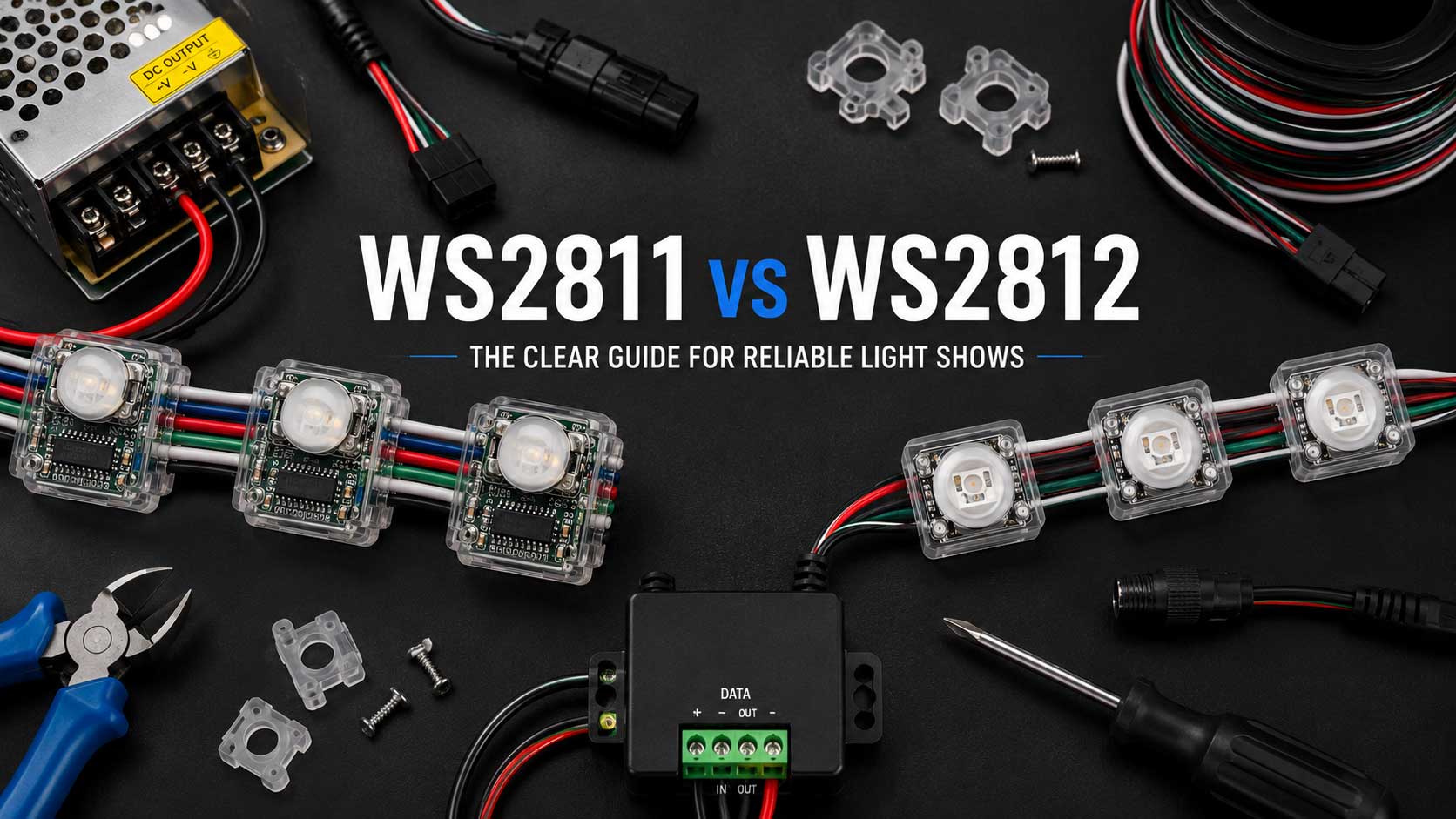
WS2811 vs WS2812 comes down to one thing: where the driver chip sits. WS2811 is a separate driver IC that sits outside the LEDs and runs a small group of them, usually three plain 5050 LEDs at 12V. WS2812 and WS2812B put that same driver inside each LED package, so one chip equals one pixel, at 5V. Everything else, voltage, run length, repair, follows from that one difference.
We ship both by the thousand every season, so this guide skips the datasheet mirror and tells you which one belongs on your roofline, your mega tree, and your matrix.
WS2811 vs WS2812: the short answer
| WS2811 | WS2812 / WS2812B | |
|---|---|---|
| Where the driver IC lives | Outside the LEDs, one IC per group | Inside each 5050 LED package |
| LEDs per driver IC | 3 output channels either way; 1 LED per channel at 5V, 3 in series at 12V, 6 at 24V | 1 (one chip, one pixel) |
| Typical voltage you’ll buy | 12V nodes and bullets | 5V strip, VDD range +3.5V to +5.3V |
| Data | Single wire, ~800 Kbps, no clock line | Single wire, ~800 Kbps, no clock line |
| Density | Nodes at about 10cm / 4″ spacing; strip 30–60 LEDs/m | Strip at 30, 60, or 144 LEDs/m |
| Run before power injection | Roughly 5–10m at 12V, up to about 50m at 24V (planning estimates, not specs) | Roughly 2–3m at 5V |
| When one dies | The failed IC drops its whole group | Usually kills only that pixel |
| Field repair | Unplug the node, plug in a new one | Cut and solder, or replace the section |
| Reverse-polarity protection | Built into the WS2812B IC itself; on 12V nodes it depends on the node’s board design | Built into the WS2812B |
| Best fit | Roofline, outlines, mega trees, props, long runs | Matrix, tight strip effects, short dense runs |
| Rough cost | About $12–$24 per bullet string, 50ct to 100ct | From about $7 for a short strip reel |
(Sources: WorldSemi WS2811 and WS2812B datasheets; Shiji Lighting run-length figures; US retail listings, verify current pricing at your source.)
If you only remember one line: WS2811 puts the brains outside the LED, WS2812B puts them inside.
The one thing that explains everything: where the driver IC lives
The WS2811 is a 3-channel constant-current driver IC. It doesn’t light up on its own. It sits on the wire and controls a group of ordinary 5050 LEDs next to it, at about 18.5mA per channel (Source: WorldSemi, WS2811 datasheet). Give it 12V and each channel can drive three LEDs in series. That whole assembly, chip plus LEDs plus a waterproof shell, is what we sell as a bullet or a square node.
The WS2812B is the same idea folded inward. WorldSemi describes it as the control circuit and the RGB chip integrated in one 5050 package, forming a complete pixel point (Source: WorldSemi, WS2812B datasheet). One chip, one pixel, addressed on its own.
That’s the real answer to “are they the same.” They aren’t the same part, but they speak the same language: a single data wire, no clock line, about 800 Kbps. Your controller sends the same kind of signal to both.
Is WS2811 5V or 12V? Here’s why people get this wrong
WS2811 is not always 12V, and the datasheet says so plainly. WorldSemi’s typical application circuit shows three builds: 5V with one LED per channel, 12V with three LEDs in series per channel, and 24V with six (Source: WorldSemi, WS2811 datasheet). The chip always has three output channels. What changes with voltage is how many LEDs you can stack in series on each one. We stock WS2811 5V bullet pixels alongside the 12V ones for exactly that reason.
The confusion comes from habit. Most WS2811 you’ll buy for a yard is 12V, so people started using “WS2811” to mean “12V node.” In forums it gets stretched further, into a catch-all for any addressable pixel. Sources disagree on this and you should know it going in: sometimes “WS2811” means the bare chip, sometimes the 12V node, sometimes everything.
WS2812B has no such ambiguity. It’s 5V. The datasheet gives a supply range of +3.5V to +5.3V (Source: WorldSemi, WS2812B datasheet). Feed it 12V and you’ll destroy it.
Keep the two questions separate in your head. “Which chip” and “which voltage” are related, not the same. Our 5V vs 12V vs 24V pixels guide works the voltage side on its own.
Voltage drop, run length, and power injection
This is where the choice costs you money or saves it.
Every foot of wire eats a little voltage. On a 5V run, a 2V drop leaves your last pixel sitting near 3V, and the color goes brown and dim. On a 12V run, that same 2V drop leaves 10V, and the driver IC still regulates it down fine. Same loss, very different result.
The planning numbers most builders work from: 5V strip wants power injection roughly every 2 to 3 meters, 12V WS2811 nodes often run 5 to 10 meters between injection points, and 24V can stretch toward 50 meters (Source: Shiji Lighting; SuperLightingLED). Those come from vendor guidance rather than measurement, so treat them as a starting point for planning, not a spec. Wire gauge, pixel count, and how hard you drive white all move the number, and the only way to know your run is to measure voltage at the far end.
Two current figures float around and both are right. Adafruit’s NeoPixel Überguide lists up to 60mA per pixel at full white, then notes that all pixels rarely run that way, and uses about 20mA per pixel as a working rule of thumb (Source: Adafruit, NeoPixel Überguide). Size your power supply toward 60mA. Plan your real draw closer to 20mA.
One more thing worth understanding: a 12V pixel regulates 12V down to what the LEDs need right at the pixel, and the difference comes off as heat. So 12V doesn’t buy you efficiency at the pixel. What it buys you is less voltage drop over long wire runs, which is the reason most outdoor displays use it.
When a pixel dies: failure and field repair
Here’s the trade-off nobody puts on a spec sheet, and it’s the one we get called about in December.
A WS2811 IC drives a group. When that IC fails at 12V, all three LEDs it controls go dark at once. You lose a chunk, not a dot. That sounds worse until you’re on the ladder: a bullet or square node is a sealed plug-in unit. You pop the bad one out, plug a new one in, and you’re done in a couple of minutes without a soldering iron.
A WS2812B usually fails smaller. The driver is inside that one LED, so a dead pixel typically takes out only itself, and data often keeps passing down the line. But fixing it means cutting the strip and soldering, on a roof, in the cold, or replacing the whole section. The Australian Christmas Lighting community says the same thing about mega trees: a broken strip is much harder to fix in place than a bullet or square pixel.
So the honest framing is: WS2811 fails in bigger pieces but repairs faster. WS2812B fails in smaller pieces but repairs slower.
If mid-string failure worries you on a long run, look at the dual-data-line parts. They carry a backup signal path so one dead pixel doesn’t kill everything downstream. WS2813 is the 5V version of that idea; WS2815 is the 12V version. Our WS2815 pixel strip runs 12V at 60 LED/m with that dual-signal design.
The WS2812B does add one safety feature the bare older parts lack: intelligent reverse-connect protection built into the IC, so a backward power hookup won’t kill it (Source: WorldSemi, WS2812B datasheet). On 12V WS2811 nodes, whether you get that protection depends on how the node’s small board is built rather than on the driver IC itself, so check the product listing if it matters to you.
Density and effects: nodes for outlines, strip for tight effects
Density decides more of this than the chip does.
WS2811 nodes come spaced at about 10cm, roughly 4 inches. That’s the spacing you want on a roofline, a window outline, or a mega tree, where each point of light needs to read as its own dot from the street.
WS2812B strip runs 30, 60, or up to 144 LEDs per meter (Source: Suntech Lite). At 144/m the pixels blur into a line of light, which is exactly what you want for a smooth chase, a fine gradient, or a matrix where the pixels form an image.
Ask what the prop needs to look like from 40 feet away. Dots, buy nodes. A continuous glowing line or a picture, buy strip.
Outdoor durability
Bullet and square nodes ship in sealed IP67 and IP68 shells. They handle rain, snow, and UV as individual sealed units, and when one goes bad you replace that unit.
Strip needs help outdoors. Silicone-sleeved or channel-mounted strip works fine, but the ends and the pigtail joints are where water gets in, and a soaked section takes out more than one pixel. Our Outdoor Pixel Compatibility Guide covers matching pixels, controllers, and supplies for weather.
Will my controller run both? (xLights, FPP, WLED)
Almost certainly yes, and the question is usually asked backward.
Your controller doesn’t “support the WS2811 chip” the way a printer supports a driver. In xLights you set the protocol per port, and both parts run as standard addressable protocols. What actually has to match is four things:
- Port voltage. The port has to feed 12V to 12V nodes and 5V to 5V strip. Mixing those up is what kills pixels.
- Pixel count per port. Both chips clock data at about 800 Kbps, so the more pixels you hang on one port, the longer each frame takes to send and the lower your refresh rate. That ceiling comes from your controller and how it splits ports, not from the chip, so check your controller’s specs when you’re planning long runs.
- Color order. RGB, GRB, and the rest. Set it wrong and your reds come out green.
- Null pixels, if you’re running a long data lead before the first pixel.
The YPS VIVID 8 runs 5V through 24V across 8 ports, so a single board can drive 12V WS2811 nodes on the roofline and 5V WS2812B strip on a prop at the same time. If you’re still picking a board, our xLights controller guide walks the sizing.
One note for the Arduino and WLED crowd: WS2812B wants a data signal at roughly 70% of VDD, about 3.5V on a 5V rail. A bare 3.3V microcontroller pin sits right at the edge, so a level shifter saves you a lot of flaky-first-pixel debugging.
What about RGBW? (WS2814)
If you need real white and not three colors faking it, look at 12V RGBW parts. The WS2814 puts a dedicated white die in each pixel alongside red, green, and blue. On snow effects, warm-white house washes, and anything meant to look like actual light rather than colored light, it’s a visible difference. Our WS2814 RGBW resistor pixels run 12V on the same xConnect system as the RGB nodes, in 3000K warm white.
Which do I buy? Prop by prop
Here’s what we tell people on the phone.
Roofline, eaves, and window outlines. 12V WS2811 bullet or square nodes. Long runs, fewer injection points, sealed units you can swap from a ladder. This is the single most common answer.
Mega tree. 12V WS2811 nodes. Strands are long, strips are miserable to repair once the tree is up, and node spacing reads correctly from the street.
Matrix or panel-style prop. 5V WS2812B strip at 60 or 144 LEDs/m, or panels. You need the density for the image to hold together, and matrix runs are short enough that 5V injection isn’t a burden.
Tight strip effects: arches, columns, small props with a smooth chase. 5V WS2812B strip. Short run, high density, and the visual you’re after is a line, not dots.
Yard props, stakes, coro, singing faces. 12V WS2811 nodes. Everything is sealed, spaced, and replaceable.
Permanent install on the house. 12V WS2811 nodes in track, or 12V RGBW WS2814 if you want a usable warm white year-round. Repairability matters most on the install you’re not taking down.
Long outdoor runs generally. 12V or 24V, not 5V. The injection math decides it before the chip does.
Budget-wise, 12V WS2811 bullet strings commonly land around $12 to $24 depending on strand count, and short WS2812B strip reels start near $7, though marketplace pricing moves constantly. Check current numbers on the pixels category before you build your bill of materials.
The chip question is really a prop question. Nobody buys one type for a whole show. Most yards we help plan run 12V WS2811 nodes for the bulk of the display and a few meters of 5V strip where a prop needs density.
FAQ
Are WS2811 and WS2812 the same?
No. WS2811 is a separate driver IC that controls a group of plain LEDs, commonly three in series per channel at 12V. WS2812 and WS2812B build that driver into each LED at 5V, so one chip is one pixel. Both use the same single-wire, roughly 800 Kbps data protocol, which is why people confuse them.
Which is better for Christmas lights?
For most Christmas displays, 12V WS2811 nodes. They run 5 to 10 meters between power injection points instead of 2 to 3, they come in sealed IP67 shells, and a failed node unplugs and swaps without soldering. Use 5V WS2812B strip where a prop needs dense, continuous light.
Can I use a 12V power supply on WS2812B?
No. The WS2812B datasheet lists a supply range of +3.5V to +5.3V (Source: WorldSemi). Feeding it 12V destroys the LEDs. If you want a 12V strip, buy a strip built for 12V, such as WS2815, rather than trying to run WS2812B off a higher rail.
Can one controller run both WS2811 and WS2812B?
Yes, on most modern pixel controllers. What matters is per-port voltage, pixel count, color order, and protocol, not the chip name. Feed 12V to the 12V nodes and 5V to the 5V strip, and set each port’s settings in xLights to match what’s plugged into it.
How many LEDs does one WS2811 IC control?
The WS2811 has three output channels no matter what. What changes is how many LEDs you can put in series on each channel: one at 5V, three at 12V, six at 24V. That’s why a 12V WS2811 “pixel” is really three LEDs lighting together, and why 12V nodes give you fewer addressable points per foot than 5V WS2812B strip at the same length.
Still sizing it out? If you’re stuck deciding how many nodes your roofline takes, where the injection points go, or whether your power supply covers it, book a one-on-one consult. One hour is $120, and we’ll count your pixels and size the power with you before you order anything.